WooCommerce offers great flexibility for growing an ecommerce business on WordPress.
But as volumes increase and logistics is outsourced, performance no longer depends only on the storefront. It depends on the quality of the integration between WooCommerce and the WMS.
Reliable stock, orders correctly transmitted, consistent statuses, synced tracking: the integration becomes a pillar of the customer experience.
In a multi-warehouse or multi-3PL context, it becomes a real scalability challenge.
Why a WooCommerce–WMS integration is strategic
WooCommerce manages the catalog, orders, and the shopping experience.
The WMS runs warehouse execution: inbound receiving, storage, picking, shipping, and inventory.
Between these two systems, data must flow without friction and without ambiguity.
Without a structured integration, the same problems appear: stock discrepancies, overselling, shipping errors, delays in status updates, and limited visibility for customer support.
Succeeding with a WooCommerce–WMS integration is not just connecting two tools. It is organizing flows and keeping data reliable over time.
The key flows to synchronize
A high-performing integration relies on four main flows.
1. Orders
Each order placed in WooCommerce must be sent automatically to the WMS.
Cancellations and modifications should also be synchronized to avoid execution inconsistencies.
2. Inventory
Inventory is the most common point of friction.
You need to synchronize available-to-sell stock, reservations, and inventory adjustments. Defining a clear source of truth is essential to limit discrepancies.
3. Execution statuses
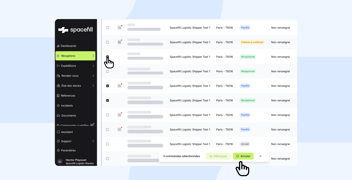
Logistics steps (being prepared, shipped, partially shipped) must be sent back to WooCommerce to provide reliable information for customers and support.
4. Carrier tracking
Carrier and tracking number should be sent back automatically to WooCommerce to ensure a smooth post-purchase experience.
The most common errors
In WooCommerce environments, incidents often come from:
- poorly synchronized product variations
- third-party plugins modifying data structures
- unstable SKUs
- sync delays that are too long
WooCommerce flexibility is an advantage, but it can also make logistics integration more complex if product data is not controlled.
Method: structuring a WooCommerce–WMS integration
1. Clarify data governance
You should define clearly:
- the order source
- the stock source of truth
- the tools involved (ERP, OMS, TMS)
- operational ownership
Without clear governance, data conflicts multiply.
2. Make the product master data reliable
Each WooCommerce product and variation should match exactly what the WMS expects.
A unique, stable, consistent SKU is the foundation of a reliable integration.
3. Stabilize the priority flows
Start by securing:
- orders
- inventory
- statuses
- tracking
More complex flows (returns, multi-warehouse routing, split shipments) can come later.
4. Formalize inventory management rules
Define:
- synchronization frequency
- safety stock (if any)
- reconciliation procedures
A robust integration makes discrepancies visible quickly and helps resolve them.
5. Test real-life scenarios
Before going live, test:
- stockouts
- late cancellations
- partial shipments
- product returns
Anticipating these scenarios prevents operational incidents.
Limits of the point-to-point model
A direct WooCommerce–WMS connection can be enough early on.
But as soon as you add a second warehouse, onboard a new 3PL, or add an ERP to the stack, integrations multiply. Each new connection increases complexity and maintenance needs.
As the logistics ecosystem grows, the point-to-point model becomes hard to scale.
Why an orchestration layer with Spacefill helps
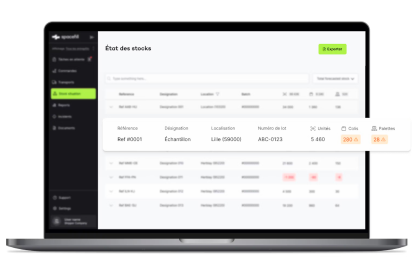
In a multi-warehouse or multi-3PL environment, an orchestration layer structures and standardizes exchanges.
Spacefill acts as a synchronization platform between:
- WooCommerce
- 3PL WMS
- business tools (ERP, OMS, TMS)
The goal is to centralize visibility, normalize statuses, and speed up the onboarding of new partners.
Instead of multiplying bespoke builds, a hub model industrializes connectivity and secures scalability.
To learn more:
https://spacefill.eu/fr/integrations/
https://spacefill.eu/fr/wms-connect/
FAQ: WooCommerce–WMS integration